Tips & Tricks to Keep Downloaded Pinterest Videos Organized
A practical system for Pinterest downloads: folders, five-second file names, weekly cleanup, board ZIP unpacking, and backups that stick.
 PintDownload Team
 Workflow 6 min read 539 words
In this article
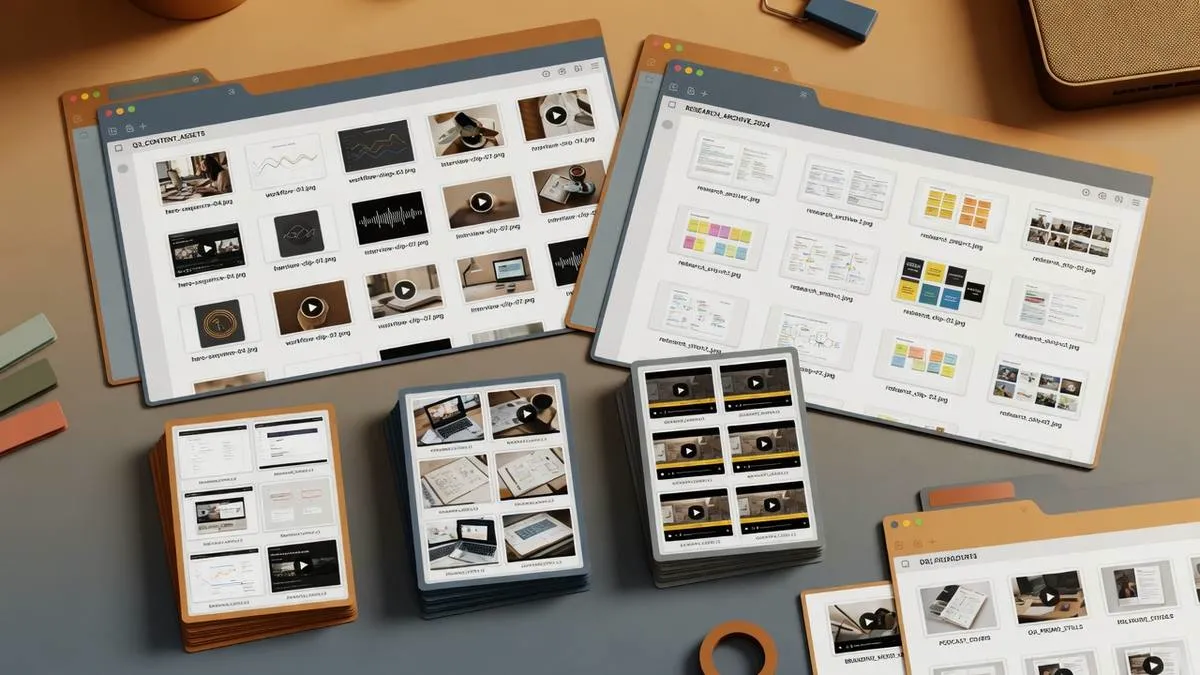
Downloading is easy; finding the clip three weeks later is hard. Build a lightweight system the same day you save files from PintDownload. This article gives folder recipes, naming patterns, cleanup rituals, and when to bulk vs single-download.
The inbox rule
Treat the browser Downloads folder as a temporary inbox, not a library. Everything either moves to a project folder within 48 hours or gets deleted. This single habit prevents 80% of “I know I saved it somewhere” moments.
Folder recipes that scale
Pinterest/DIY/,Pinterest/Recipes/,Pinterest/Travel/for life categoriesProjects/Kitchen-Remodel/Refs/for active workArchive/2026-Q2/for completed themes_inbox/for unsorted new files
Five-second file names
2026-07-topic-source.mp4 beats pinterest_download (12).mp4. Include a verb or object: 2026-07-grout-sealing-demo.mp4. Board ZIPs from the Pinterest Board Downloader already group by collection — unpack into project folders, then rename only the keepers.
Bulk vs single
- One tutorial → Pinterest Video Downloader
- Full moodboard → Pinterest Board Downloader
- Creator survey → Pinterest Profile Downloader
- All carousel angles → Pinterest Pin Downloader
Weekly cleanup (15 minutes)
- Empty
_inboxor delete leftovers. - Deduplicate near-identical clips.
- Promote keepers to project folders.
- Back up keepers to cloud or external drive.
Deeper system: personal reference library.
Mobile organization
On phones, create album/folders (Photos albums, Files tags). Avoid letting everything sit in camera roll chaos. Mobile download steps: Android & iOS.
Templates you can copy
Home projects: DIY/Project-Name/{inbox,steps,refs}
Students: Study/Course/Unit-02/
Travel: Travel/City/{food,walks,transit}
Designers: Refs/{type,color,layout}/_heroes
Tags vs folders
Folders are reliable offline. Tags (in Photos apps, or note tools) are optional sugar. If you only do one thing, do folders plus good names. Tags without folders still leave you hunting.
The “heroes” pattern
Every messy folder gets a _heroes subfolder with the 5–20 files you actually reopen. Everything else can be bulk archive. This keeps daily work fast without deleting historical context.
From chaos to calm in one evening
If you already have hundreds of unsorted downloads, do not reorganize everything forever. Run a single triage night:
- Create
_inbox,_heroes, and three project folders you care about this month. - Sort only the last 30 days of downloads — older clutter can wait in an
Archive/unsorted-legacybucket. - Delete anything you cannot name in five seconds. If you cannot name it, you will not reopen it.
- Rename only the heroes. Perfect taxonomy is the enemy of a finished kitchen or finished essay.
Future downloads follow the inbox rule so the pile never rebuilds. Consistency beats a heroic one-time clean that you abandon.
Cross-device sync without chaos
If phone and laptop both download, pick one “library of record” (usually the laptop or a personal cloud drive). Phones capture; the library stores. Otherwise you will search three places forever.
Try it on PintDownload
Paste a public Pinterest link and download free — no account required.
Frequently asked questions
Should I keep every download?
No. Keep what serves a project or recurring reference need. Delete the rest quickly.
Is cloud backup enough?
Cloud is great for keepers. Do not rely on Downloads folders that auto-expire on managed devices.
Related tools: Pinterest Pin Downloader · Pinterest Video Downloader · Pinterest Board Downloader · Pinterest Profile Downloader
More in Workflow
Keep reading
-
 Workflow 15 min readThe Pinterest Shadowban & Account Takedown Survival Manual: How to Backup & Protect Your Content LegacyPintDownload Team
 -
 Workflow 10 min readPinterest Video Pins Strategy: How to Create High-Converting Vertical ClipsPintDownload Team
 -
 Workflow 13 min readPinterest for Bloggers: How to Drive 100,000+ Monthly Visitors to Your BlogPintDownload Team
 - Workflow 6 min readBeyond the Download: Building Your Personal Reference LibraryPintDownload Team